• Home
  • About Us
  • Contact Us
  • Terms of Use
  • Stock Photo Agencies

Viz Stream Studios

Stock Photo Blog and Tips

Free Vector Site: The Best Places to Download High-Quality Vector Graphics

Free Vector Site: The Best Places to Download High-Quality Vector Graphics

July 28, 2026 By Gilbert Hawkins Leave a Comment


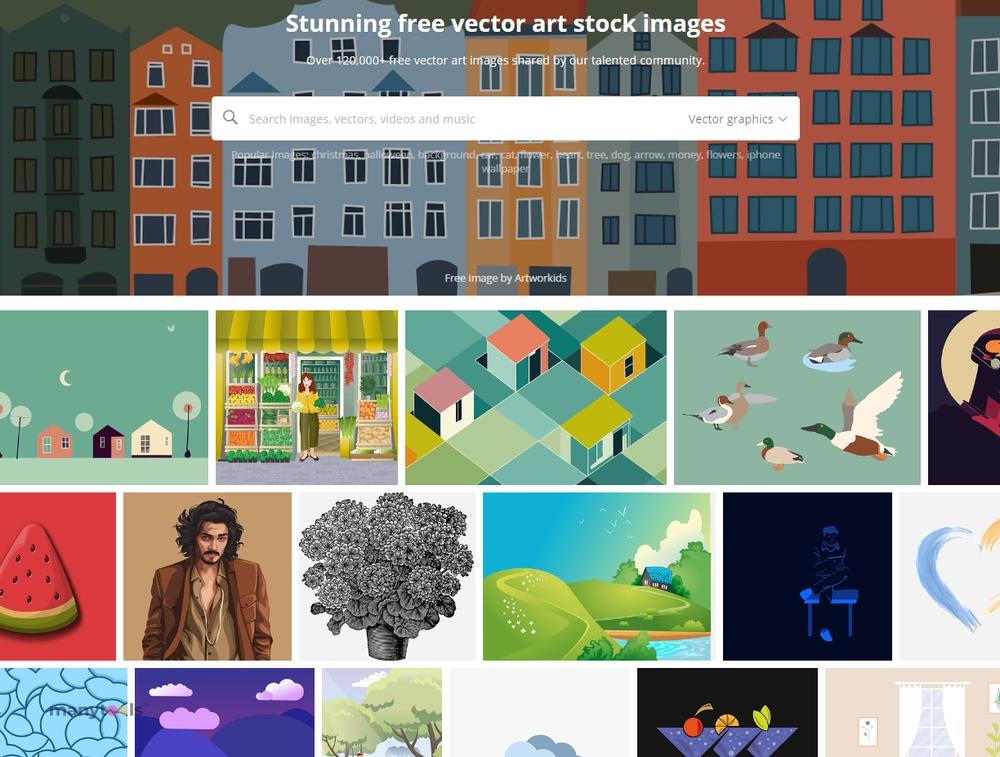
If you’re searching for a free vector site to download professional graphics without spending money, you’re in luck. Today, there are many websites offering high-quality vector illustrations, icons, logos, patterns, and design elements that are free for personal and commercial use. Whether you’re a graphic designer, marketer, blogger, or business owner, free vector resources can help you create eye-catching designs while keeping your budget under control.

Vector graphics are an essential part of modern design because they can be resized without losing quality. This makes them perfect for websites, social media, print materials, presentations, and branding projects.

What Is a Free Vector Site?

A free vector site is an online platform where users can download scalable vector graphics (SVG, AI, EPS, or PDF files) at little or no cost. Unlike raster images such as JPG or PNG, vector graphics use mathematical paths, allowing them to remain sharp regardless of size.

Most free vector websites offer collections that include:

  • Icons
  • Illustrations
  • Infographics
  • Backgrounds
  • Logos
  • Business graphics
  • Social media elements
  • Decorative patterns

These resources are widely used by designers looking to speed up their workflow while maintaining professional quality.

Benefits of Using a Free Vector Site

Choosing a reliable free vector site offers several advantages for creative professionals and beginners alike.

Save Money

Purchasing custom illustrations or premium design assets can become expensive. Free vector resources allow you to complete projects without increasing your design budget.

Easy Customization

Most vector files can be edited using popular software like Adobe Illustrator, Affinity Designer, Inkscape, or CorelDRAW. You can easily change colors, shapes, text, and sizes to fit your project.

High-Quality Graphics

Many free vector websites feature professionally designed artwork suitable for business presentations, websites, advertisements, and digital marketing campaigns.

Scalable Without Quality Loss

Unlike bitmap images, vectors remain crisp and clear at any size, making them ideal for everything from mobile screens to large printed banners.

Tips for Choosing the Best Free Vector Site

Not every website offers the same quality or licensing terms. Before downloading graphics, keep these tips in mind:

  • Check whether commercial use is allowed.
  • Read the licensing agreement carefully.
  • Download editable file formats such as SVG or AI when possible.
  • Look for websites with regularly updated collections.
  • Choose vectors that match your brand’s visual style.

Following these practices helps you avoid copyright issues while ensuring professional-looking results.

Popular Uses for Vector Graphics

Graphics downloaded from a free vector site can be used in many creative projects, including website design, blog illustrations, business cards, brochures, product packaging, presentations, mobile applications, and social media marketing. Businesses also use vector icons and illustrations to improve user experience and create consistent branding across multiple platforms.

Conclusion

Finding a trustworthy free vector site can significantly improve your design workflow while reducing project costs. With thousands of high-quality vector graphics available for free, designers and content creators can quickly access professional illustrations, icons, and design elements for virtually any project. By selecting reputable websites and understanding licensing requirements, you can confidently use free vector resources to create attractive, scalable, and engaging visual content for both personal and commercial use.


Filed Under: Free Vector

Boosting Engagement with Royalty-Free Music for App Promo Videos

Boosting Engagement with Royalty-Free Music for App Promo Videos

March 21, 2026 By Gilbert Hawkins Leave a Comment


In the highly competitive app marketplace, first impressions are everything. App promo videos have become a vital marketing tool, helping developers and businesses showcase features, usability, and value in a short, engaging format. While visuals and motion graphics are essential, music plays an equally important role in shaping how users perceive your app. Choosing the right royalty-free music ensures your promo video is both impactful and legally compliant.

Why Music Is Critical in App Promo Videos

Music sets the emotional tone and pace of your video. Whether your app is designed for productivity, entertainment, fitness, or finance, the soundtrack helps communicate its purpose and personality instantly. A well-selected track can make your app feel innovative, trustworthy, or fun—depending on your target audience.

For creators and marketers, including those targeting Stock Photos Buyers, music helps tie together visuals and messaging, creating a cohesive and memorable viewing experience that drives engagement and conversions.

Understanding Royalty-Free Music

Royalty-free music allows you to use audio tracks without paying recurring fees each time the video is played or distributed. Typically, you either download the track for free under specific terms or pay a one-time licensing fee.

This is especially valuable for app developers and marketing teams who need to distribute videos across multiple platforms such as app stores, social media, websites, and paid ads. With royalty-free music, you can scale your campaigns without worrying about copyright issues or additional costs.

Choosing the Right Music Style

Selecting the appropriate music style depends on your app’s function and target audience. Here are some popular options:

Tech and Electronic
Perfect for apps related to technology, startups, or innovation. These tracks often feature clean beats and modern sounds.

Corporate and Inspirational
Ideal for business or productivity apps, conveying professionalism, trust, and growth.

Upbeat and Energetic
Best suited for lifestyle, fitness, or entertainment apps, adding excitement and energy to your visuals.

Minimal and Ambient
Great for apps that require focus and simplicity, allowing users to concentrate on the interface and features.

Key Features to Look For

When selecting royalty-free music for app promo videos, keep these factors in mind:

Clear Structure
Tracks with distinct sections make it easier to align music with key moments in your video, such as feature highlights or calls to action.

High Audio Quality
Professional sound ensures your video maintains a polished and credible appearance.

Loop and Edit Flexibility
Music that can be easily trimmed or looped allows for seamless editing and customization.

Consistency with Branding
Choose music that reflects your app’s identity and aligns with your brand voice.

Best Practices for Using Music in Promo Videos

Sync with Visual Transitions
Align beats and transitions with animations or scene changes to create a dynamic flow.

Keep It Balanced
Ensure the music supports your message without overpowering voiceovers or on-screen text.

Match the User Experience
The music should reflect how users will feel when interacting with your app—calm, excited, productive, or inspired.

Test Different Options
Experiment with multiple tracks to find the best fit for your content and audience.

Final Thoughts

Royalty-free music is a powerful asset for creating effective app promo videos. It enhances storytelling, strengthens branding, and ensures your content remains compliant across all distribution channels. By carefully selecting and integrating the right soundtrack, you can significantly improve the impact of your marketing efforts.

For creators targeting diverse audiences—including Stock Photos Buyers—a well-crafted video with the right music can make all the difference. In a crowded digital space, it’s not just about showing your app—it’s about making people feel something when they see it.

Filed Under: Stock Photo Agencies

Is Canva Pro Worth It? An Honest Review of Features, Pricing & ROI

Is Canva Pro Worth It? An Honest Review of Features, Pricing & ROI

March 24, 2025 By Gilbert Hawkins Leave a Comment

I’ve spent countless hours exploring Canva’s design capabilities and I’m often asked whether upgrading to Canva Pro worth the investment. As someone who uses this platform daily for creating social media graphics business presentations and marketing materials I understand the importance of making informed decisions about design tools.

While Canva’s free version offers impressive features there’s a significant difference between the free and Pro versions that could impact your creative workflow. After using both versions extensively I’ll share my insights on whether the premium features justify the monthly subscription cost and help you determine if Canva Pro aligns with your specific needs and goals.

What Is Canva Pro and How It Differs From Free

Canva Pro expands on the free version’s core design capabilities with advanced features specialized for professional content creation. I’ve identified distinct differences between these versions through my extensive testing and daily usage.

Key Premium Features Overview

  • Brand Kit Integration: Store logos, fonts, colors for consistent branding across designs
  • Background Remover: Extract subjects from images with one click
  • Magic Resize: Convert designs into multiple formats automatically
  • Premium Templates: Access 100+ million premium stock photos graphics templates
  • Cloud Storage: Store up to 1TB of designs media files
  • Team Collaboration: Share edit designs with multiple team members
  • Custom Fonts: Upload use custom brand fonts
  • Priority Support: Get faster responses technical assistance

Pricing Plans Explained

Plan Type Monthly Cost Annual Cost User Access
Free $0 $0 1 user
Pro $12.99 $119.99/yr 1-5 users
Teams $14.99 $149.90/yr 5+ users

The Pro subscription includes features for independent creators social media managers while Teams targets larger organizations. Each paid tier unlocks the complete premium feature set with the main difference being the number of team members allowed access to the account.

Design Capabilities and Professional Tools

Canva Pro transforms the basic design platform into a comprehensive creative suite with advanced features. My experience reveals significant enhancements in workflow efficiency and design possibilities.

Brand Kit and Team Features

The Brand Kit feature allows me to store brand colors, fonts, and logos in one central location for instant access. I can create multiple brand profiles, each with unique style guides, and share them with team members. The collaboration tools enable real-time editing with up to 5 team members under one Pro subscription, streamlining the review and approval process.

Key Brand Kit capabilities:

  • Store up to 100 brand color palettes
  • Save custom fonts and typography combinations
  • Create multiple logo variations
  • Share brand assets across team workspaces
  • Lock specific design elements to maintain consistency

Access to Premium Templates and Elements

Canva Pro expands my creative options with over 100 million premium design elements and templates. The premium content includes:

Asset Type Free Version Pro Version
Templates 250,000+ 610,000+
Stock Photos 1M+ 100M+
Graphics Limited Full Library
Audio Tracks Basic Selection 50,000+
Videos Limited Full Library

Premium features I frequently use:

  • Exclusive professional templates for social media posts presentations brochures
  • High-quality stock photos without watermarks
  • Animated elements for dynamic content
  • Premium illustrations icons graphics
  • Commercial-use license for all elements

The expanded asset library in Canva Pro significantly reduces my time searching for external resources enabling faster creation of professional-quality designs.

Time-Saving Benefits for Different Users

I’ve observed how Canva Pro’s advanced features create distinct time-saving advantages for various user groups. My extensive testing reveals significant productivity gains through automated tools and streamlined workflows.

Small Business Owners and Entrepreneurs

I’ve found that small business owners save 5-7 hours weekly using Canva Pro’s Brand Kit feature. The ability to store brand assets centrally eliminates repetitive tasks like color matching and font selection. The Magic Resize tool converts designs into multiple formats in seconds, replacing the 15-20 minutes typically needed to manually resize each design. The Background Remover creates professional product photos in 2-3 clicks, eliminating the need for complex photo editing software.

Content Creators and Social Media Managers

My experience shows that content creators reduce production time by 60% with Canva Pro’s premium features. The scheduling tool publishes content directly to multiple platforms, replacing the traditional 30-45 minute manual posting process. The unlimited folders organization system categorizes designs by client, campaign or platform, cutting search time from 10 minutes to 30 seconds. Access to 100+ million premium templates eliminates design setup time, enabling creation of 15-20 unique posts in the time previously needed for 5-6 posts.

User Type Time Saved (Weekly) Key Time-Saving Features
Small Business Owners 5-7 hours Brand Kit, Magic Resize, Background Remover
Content Creators 12-15 hours Scheduling Tool, Premium Templates, Unlimited Folders

Cost Analysis and ROI

I’ve analyzed the cost-effectiveness of Canva Pro by comparing its pricing structure with the value it delivers through its premium features and time-saving capabilities.

Comparing Canva Pro to Other Design Tools

Canva Pro’s annual subscription cost of $119.99 positions it competitively against other professional design tools. Adobe Creative Cloud charges $599.88 annually for a single-app subscription, while Photoshop alone costs $239.88 per year. Figma’s professional plan starts at $144 annually per user, making Canva Pro a cost-effective alternative at $9.99 per month when billed annually.

Design Tool Annual Cost Monthly Cost
Canva Pro $119.99 $12.99
Adobe Photoshop $239.88 $19.99
Adobe Creative Cloud $599.88 $49.99
Figma Professional $144.00 $12.00

Potential Return on Investment

I’ve identified three key areas where Canva Pro delivers measurable ROI:

  • Time Savings:
  • Brand Kit reduces design time by 75%
  • Background Remover saves 3-4 minutes per image
  • Magic Resize eliminates 10-15 minutes of manual reformatting per design
  • Resource Access:
  • 100+ million premium assets replace individual stock photo purchases ($10-15 each)
  • Premium templates eliminate custom design costs ($50-200 per template)
  • Custom font upload capability saves on font licensing fees ($20-100 per font)
  • Productivity Gains:
  • Team collaboration features reduce feedback cycles by 60%
  • Content scheduling saves 5-6 hours weekly on social media management
  • Cloud storage eliminates file organization time by 30%

The ROI calculation shows that Canva Pro pays for itself in 1-2 months for businesses creating 10+ designs monthly, considering the combined value of time savings, premium assets, and increased productivity.

Who Should Upgrade to Canva Pro

Based on my experience with both versions, Canva Pro delivers the most value for specific user groups with particular design needs. Understanding these scenarios helps determine if Canva Pro is worth the investment for your situation.

Best Use Cases and Scenarios

  • Small Business Owners & Entrepreneurs

  • Create consistent branding across multiple platforms
  • Design marketing materials for both print & digital
  • Generate professional product presentations
  • Manage multiple brand profiles
  • Digital Content Creators

  • Produce high-volume social media content
  • Design thumbnails for video platforms
  • Create multiple design variations quickly
  • Access premium stock photos & elements
  • Marketing Teams

  • Collaborate on design projects in real-time
  • Maintain brand consistency across team members
  • Schedule & organize content systematically
  • Share assets through Brand Kit features
  • Freelance Designers

  • Handle multiple client brand requirements
  • Access extensive premium template library
  • Remove backgrounds efficiently
  • Resize designs for different platforms instantly

When to Stick With Free Version

  • Occasional Designers

  • Create less than 5 designs monthly
  • Use basic templates only
  • Don’t require team collaboration
  • Work with single-format designs
  • Personal Projects

  • Design birthday invitations
  • Create social media posts for personal accounts
  • Generate simple presentations
  • Work on hobby-related graphics
  •  
  • Complete basic school assignments
  • Create simple study materials
  • Design club event posters
  •  

Conclusion

After my extensive analysis I’m confident that Canva Pro is worth the investment for users who create content regularly. The time-saving features alone justify the cost especially for businesses and content creators who work on multiple designs weekly.

The decision ultimately depends on your specific needs. If you’re creating more than 10 designs monthly managing multiple brands or working with a team Canva Pro will quickly pay for itself. However if you’re an occasional designer the free version might serve you just fine.

I’ve found the premium features team collaboration tools and vast resource library make Canva Pro an invaluable asset in my design workflow. It’s a smart investment that continues to deliver value through enhanced productivity and professional-quality outputs.


Filed Under: Stock Photo Agencies

  • 1
  • 2
  • 3
  • Next Page »

Recent Posts

  • Free Vector Site: The Best Places to Download High-Quality Vector Graphics
  • Boosting Engagement with Royalty-Free Music for App Promo Videos
  • Is Canva Pro Worth It? An Honest Review of Features, Pricing & ROI
  • Discover Awesome Offerings with the Adobe Stock Free Trial
  • Vectorain.com: Best Free Vector Site Ever

Follow Us!

Copyright © 2026 · Vizstream Studios · All Rights Reserved